
If you own an iPhone, you have seen it. You send a message and instead of the usual blue bubble, it turns up green. No big deal, right? Except for a lot of people it feels like a bigger deal than it should be. Group chats get messy, photos look blurry, and someone always asks “why are you green?”
This guide breaks down exactly what green text means on an iPhone in 2026, why it happens, and what has actually changed with RCS and encryption this year. No fluff, just the real answer.
What Does Green Text Mean on iPhone?
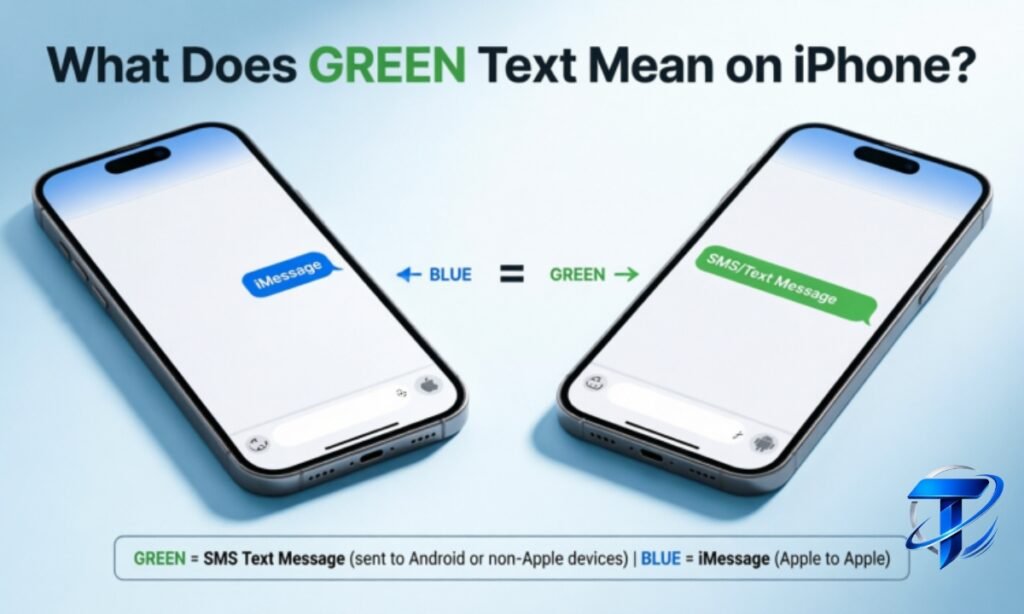
Green text on an iPhone means the message was sent using RCS or SMS/MMS instead of iMessage. This usually happens because the person you are texting does not own an Apple device, or iMessage is turned off on one end of the conversation. The color has nothing to do with message quality anymore, it simply shows which protocol carried your text.
Read Now : “Hmm” Meaning in Text
Why Is My iPhone Text Green Instead of Blue?
There are a handful of common reasons your messages show up green, and almost all of them are easy to check and fix.
- The person you texted uses an Android phone, not an iPhone.
- iMessage is switched off on your device or theirs.
- iMessage is temporarily down on Apple’s servers.
- You or the recipient recently switched phones and Messages settings have not updated yet.
- You are outside cellular or Wi-Fi coverage, so the message falls back to SMS.
You can check your own setup by opening Settings, tapping Apps, then Messages, and confirming iMessage is toggled on. If it is on and the bubble is still green, the problem sits on the other end of the chat.
Blue Bubble vs Green Bubble: What Is the Real Difference
People treat this like a status symbol, but the technical difference is simpler than the internet drama around it. Here is a side by side look at what each message type actually offers.
| Feature | iMessage (Blue) | RCS (Green) | SMS/MMS (Green) |
| Works between | Apple devices only | Any device with RCS support | Any phone |
| Connection needed | Wi-Fi or cellular data | Wi-Fi or cellular data | Cellular network only |
| Read receipts | Yes | Yes, if both sides support it | No |
| Typing indicators | Yes | Yes | No |
| High resolution photos and video | Yes | Yes | No, heavily compressed |
| Group chat quality | Full featured | Improved, still catching up | Basic, often breaks apart |
| Encryption | End to end by default | Rolling out, carrier dependent | None |
| Tapbacks, effects, stickers | Full support | Limited, improving | Not supported |
The takeaway is simple. iMessage remains the smoothest experience between Apple devices, but green bubble texting on iPhone has closed most of the practical gap in 2026, at least for everyday use.
RCS on iPhone: The 2026 Update Everyone Is Talking About
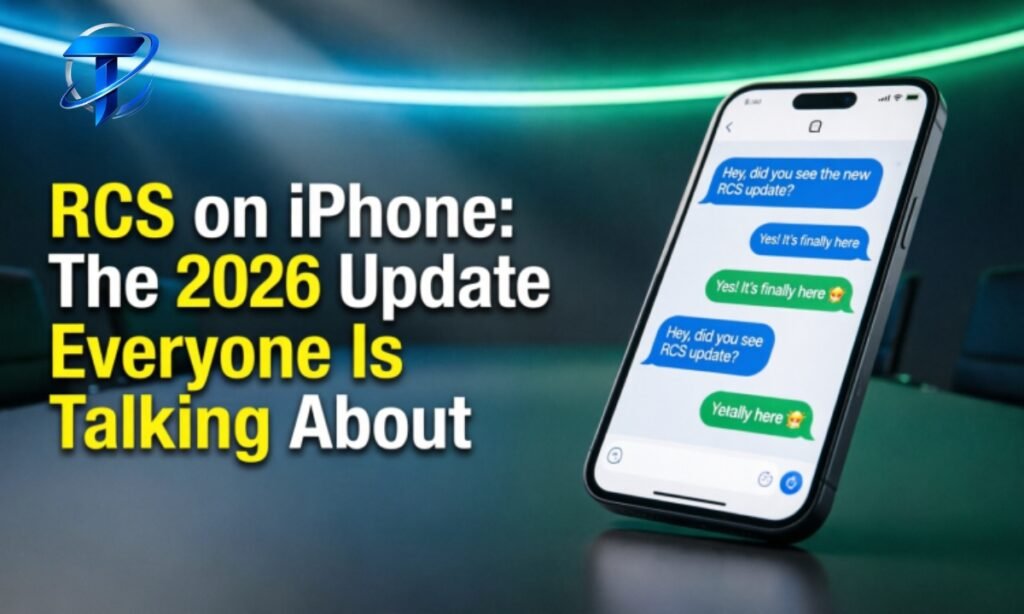
Apple added RCS support starting with iOS 18, replacing the old SMS and MMS system for texting with Android users. Before that update, green bubbles meant tiny compressed photos, no read receipts, and painfully broken group chats. RCS fixed most of that by bringing:
- High resolution photo and video sharing
- Read receipts and typing indicators, when both people have them enabled
- Longer messages without the “sent as multiple texts” splitting
- Better group messaging that does not fall apart the moment someone leaves
- Messages sent over Wi-Fi or mobile data instead of only the carrier’s SMS network
Here is the part most articles gloss over. RCS on iPhone still shows up in green bubbles, and that is not changing. Apple has kept the color coding in place on purpose, since the color simply tells you which protocol is in use rather than signaling a lower quality message anymore.
Do I Need to Turn On RCS Manually
Yes, in most cases. Go to Settings, then Apps, then Messages, then RCS Messaging, and switch it on. You also need a carrier plan that supports RCS and a device running iOS 18 or later. If the toggle is missing entirely, your carrier has not activated RCS on your line yet, and there is no separate app or download that fixes this.
Read Slang : WTV Meaning in Text
The Big Change in 2026: Encrypted Green Bubbles
This is the update that makes 2026 genuinely different from previous years. Starting with iOS 26.5, released in May 2026, Apple began rolling out end to end encryption for RCS messages between iPhone and Android users. This is built on the GSMA’s Universal Profile 3.0 standard, using the Messaging Layer Security protocol, and it activates automatically once both devices and carriers support it.
When encryption is active, you will notice a small lock icon next to the RCS label in the chat header. No setup is required beyond having RCS turned on and an updated carrier and device on both ends.
Here is why this matters. Before this update, RCS messages between an iPhone and an Android phone were richer than plain SMS, but a carrier could technically still read the content while it was in transit. With encryption enabled, that gap closes, and green bubble conversations finally get real privacy protection, not just better formatting.
That said, this rollout is not universal yet. Encryption depends on both people having compatible software, an eligible carrier, and RCS active. If any part of that chain is missing, the conversation quietly falls back to standard RCS or SMS without warning you.
Why Does Green Text Still Feel Complicated in 2026
Ironically, the encryption upgrade added a new layer of confusion instead of removing one. As of mid 2026, an iPhone can now show four different message states in the same color: SMS, standard RCS, encrypted RCS, and iMessage. Tech reviewers and everyday users alike have pointed out that you now have to think about the device, software version, carrier, and encryption status just to understand a single green bubble. That is more moving parts than most people expect from a simple text message.
Does Green Text Mean Someone Blocked You
This is one of the most searched questions tied to green bubbles, so it deserves a direct answer. No, a green bubble does not mean you have been blocked. It simply means the message went out as RCS or SMS instead of iMessage. If you were actually blocked, you would typically see the message send as a single checkmark with no delivery confirmation, and calls may go straight to voicemail. Green color alone is not proof of blocking.
How to Get Blue Bubbles Back
If you want your messages to appear blue again, here is what actually works.
- Confirm the other person also owns an Apple device.
- Open Settings, then Apps, then Messages, and turn iMessage on.
- Make sure you have a stable Wi-Fi or cellular data connection, since iMessage needs internet access to activate.
- Restart your iPhone if iMessage was recently reactivated and is not registering.
- On a new device, allow a few minutes for iMessage activation to finish syncing with Apple’s servers.
If none of this works and the recipient uses an Android phone, blue bubbles are simply not possible. iMessage is exclusive to Apple hardware, and that has not changed in 2026.
Green Bubble Social Stigma: Why People Care So Much
The green versus blue debate has grown well past a technical detail. It has become a genuine talking point in group chats, dating culture, and even regulatory conversations. Complaints about the divide date back years, and the pressure eventually pushed Apple toward adopting RCS at all. The color split has even been referenced in antitrust discussions about how it can make certain phones feel excluded or lower status in group settings.
The practical advice here is simple: the bubble color says nothing about the message quality anymore, especially with RCS and encryption improvements in 2026. It is worth remembering that the next time a group chat joke starts about someone’s green name.
Quick Reference Table: Green Text Causes and Fixes
| Symptom | Likely Cause | Fix |
| Message is green, recipient has Android | Normal behavior | Nothing to fix, enable RCS for better quality |
| Message is green, recipient has iPhone | iMessage off on one side | Turn iMessage on in Settings, then Apps, then Messages |
| Photos look blurry in green chats | RCS not enabled, using old SMS/MMS | Turn on RCS Messaging in Settings |
| No read receipts in a green chat | RCS not supported by carrier, or turned off by recipient | Confirm RCS is active on both devices |
| Lock icon missing next to RCS | Encryption not yet supported by carrier or software | Update iOS, confirm carrier support |
Final Thoughts
Green text on an iPhone is not a flaw, a downgrade, or proof of being blocked. It simply tells you the message traveled through RCS or SMS instead of iMessage. Thanks to the updates rolled out through iOS 26.5, green bubble conversations in 2026 now support high quality media, read receipts, typing indicators, and in many cases real end to end encryption.
The color is just a label. What actually matters is whether both people have RCS turned on and their software updated, since that is what determines whether a green chat feels modern or stuck in the past.

Matt Henry is a writer and researcher at Trexoleen, specializing in text meanings, slang, abbreviations, acronyms, and modern internet language. He is passionate about making confusing terms simple and easy to understand.
[…] Read Also : Green Text Meaning on iPhone […]